



You saw someone.
They saw you.
Make a Tick.
A real meeting can lead somewhere. TickForTwo helps you find the person you saw again, even if you never spoke.

HOW IT WORKS
From a glance at
a new acquaintance.
You're not looking through profiles. You're looking for a person who you actually saw and who saw you.
01 / CREATE TICK
Create a Tick
You're not looking through profiles. You're looking for a person who you actually saw and who saw you.
02 / WHEN AND WHERE
Tell us the moment
The app automatically fills in the date, time, and location. You can change them if needed.
03 / CONFIRM
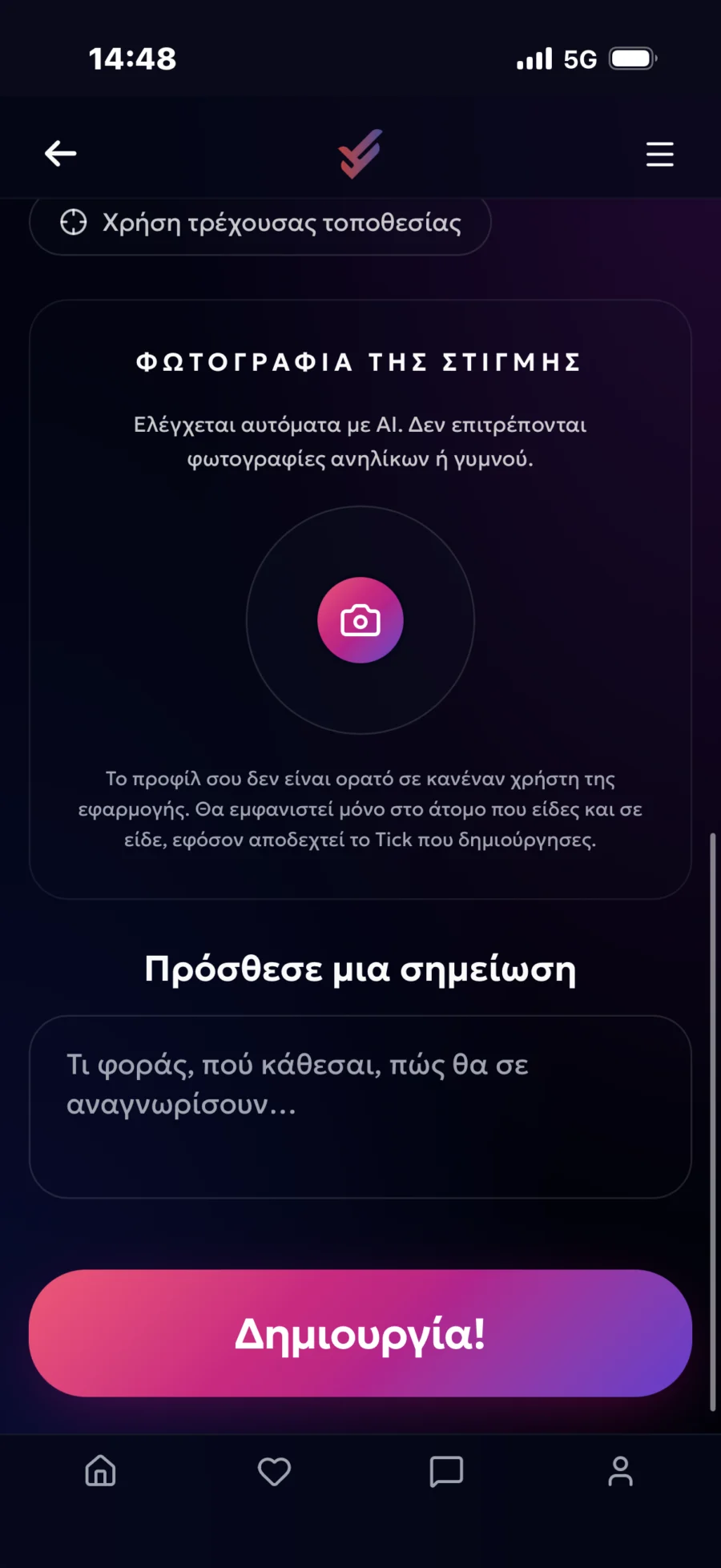
Post your selfie
A photo of the moment confirms it's you. It's not displayed publicly.
04 / NOTES
Help him to find you
A photo of the moment confirms it's you. It's not displayed publicly.
05 / CREATE
Continue to create
Check your details, click Create and then Continue. Your Tick is ready.
06 / MATCH
You found each other
If successful, the Tick appears in "My Ticks" and can lead to "My Flirts".
THE MOMENT MATTERS
The more information you provide, the easier it will be to identify you.
- Automatic date and time
- Automatic location or selection on the map
- Confirmation selfie
- Identification note
- Same-sex interest selection
YOUR TICKS
All in one place.
On the "My Ticks" page, you can see the history of incoming and outgoing Ticks, your searches, and their results.
My Flirts
When there is a successful outcome, you can see the person you have accepted and choose what to do next.
Profile & Contact
See more details, like city, age, and photos. Message, block, or report an account.
PRIVACY FIRST
Your profile is
and remains private.
You don't appear to all users, and you don't need
to search through hundreds of profiles.

You only show up when there's a reason to.
Your selfie and profile photo are not displayed publicly. They are only visible to the person with whom you will have a successful Tick and who will accept it.
Don't let the moment pass
Did you see someone
you liked?
Don't let a chance meeting remain... a chance.